Version 1.5 · free & open source

PokéSurvivor,
plus everything
you wished it had.

A free browser extension for pokesurvivor.com with Endless runs, a redesigned HUD, a damage meter, a minimap, full controller support, co-op chat & pings, and dozens of quality-of-life upgrades.

On the Chrome Web Store, for Chrome, Edge, Brave, Opera and other Chromium browsers on desktop. Prefer a zip? Download it from GitHub.

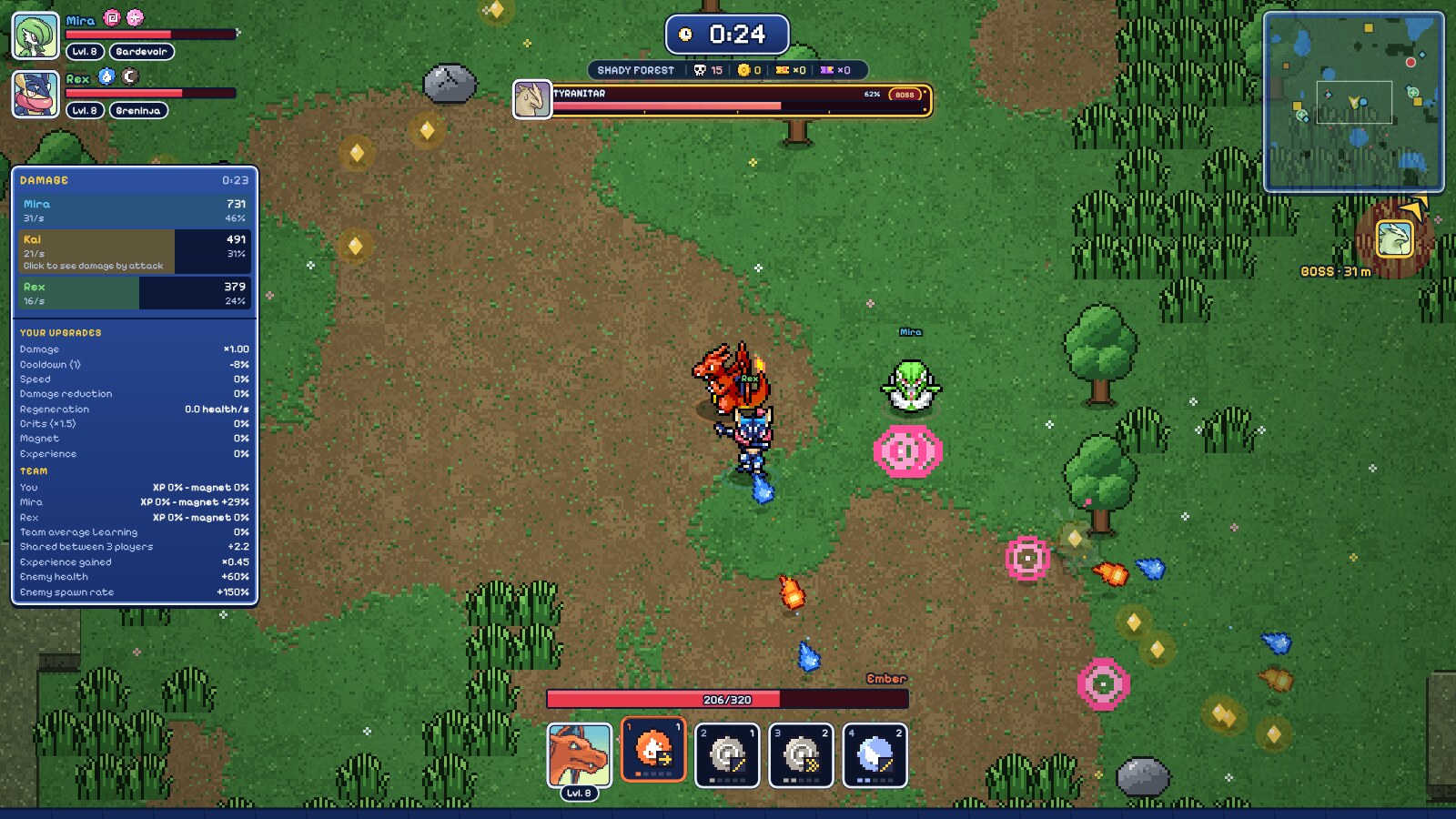
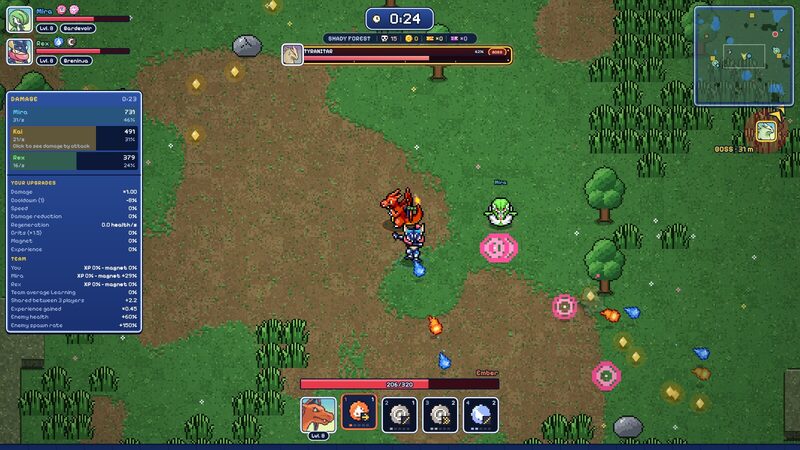
A co-op run with PokeSurvivor Plus: team cards, a boss health plate, the damage meter and the minimap
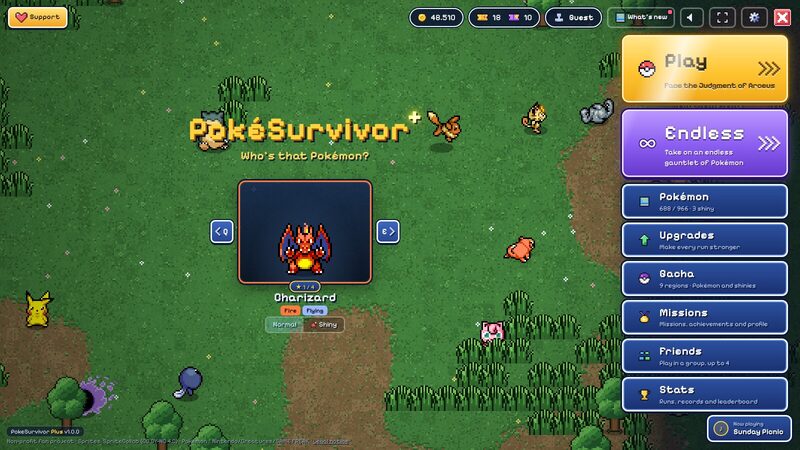
The redesigned main menu with gold Play and purple Endless buttons
∞Endless runs
42new music tracks
🎮full controller support
0data collected

What you get

Everything lives inside the game's own Settings screen, and almost all of it can be switched off.

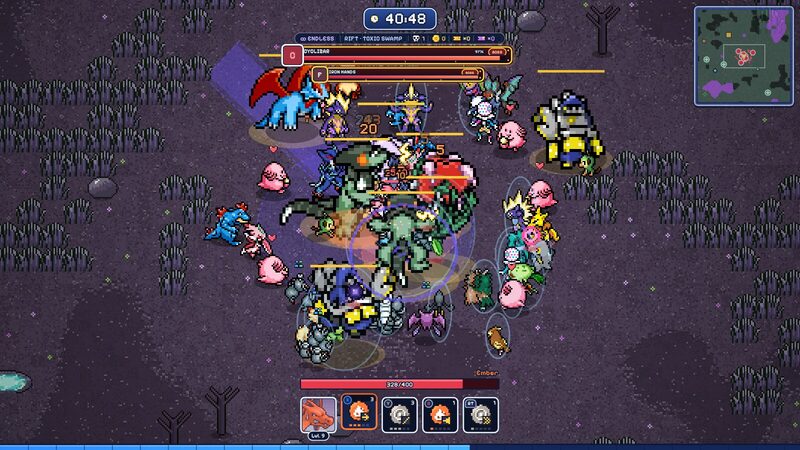
An endless run past 40 minutes with two bosses

Since 1.0

∞ Endless runs

No Judgment at 30:00. Keep surviving as enemies grow stronger and stronger, with rifts that keep opening and a boss every 3 minutes. Summon Arceus from the pause menu when you're ready to end it.

  • Never sent to the leaderboard, no achievements, your game stats untouched
  • Separate endless records, with an ∞ badge on runs and share cards
  • Works in co-op (the host starts it and can summon Arceus)
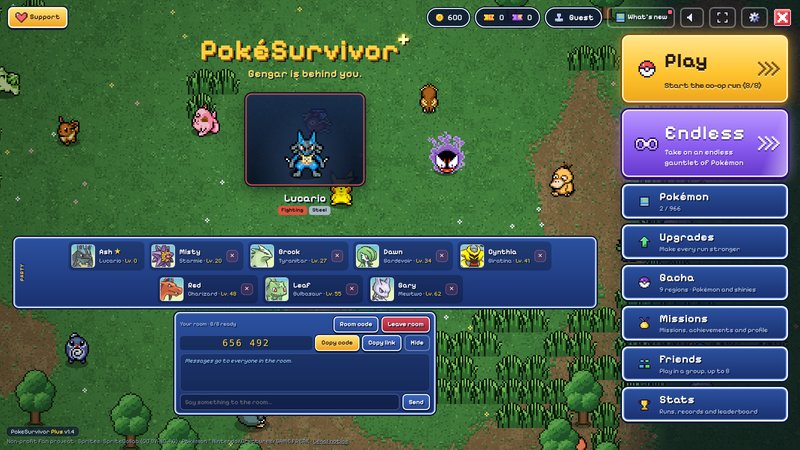
A room of 8 players on the main menu with a 6-digit room code

New in 1.4

Rooms of up to 8, open to anyone

Bring the whole group. Create a room with a short 6-digit code, share it on stream or in chat, and anyone with PokeSurvivor Plus can jump in, friend or not.

  • Up to 8 players, with enemies scaling gently past 4 (never on the leaderboard)
  • Room codes and join links, a Join button on the friends list, invites from anyone
  • Kick players, change your level-up card until everyone picks, bonds chosen together
Redesigned HUD with damage meter

A redesigned HUD & damage meter

Team cards, a boss plate whose portrait winces when hit, arrows to teammates, bosses, rifts and treasure thieves, and a clock panel with biome, kills, coins and tickets.

  • Hold Tab for damage, damage per second and your upgrades
  • A draggable, resizable minimap with toggleable markers
  • Tooltips on moves, items and weather; scale it from 1× to 2×
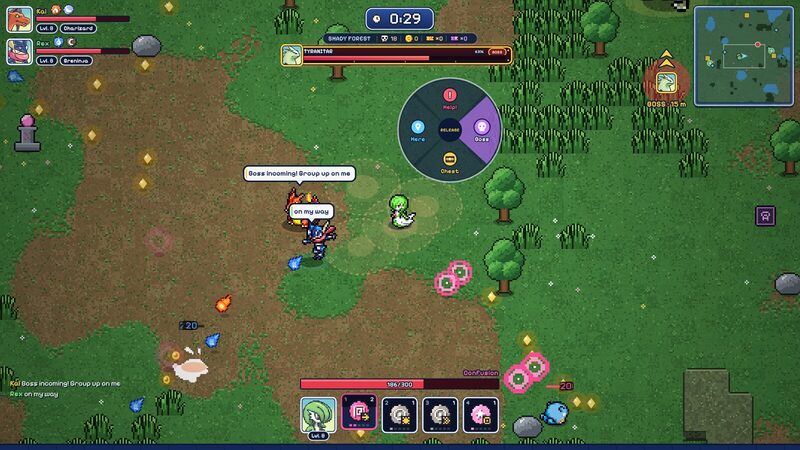
Ping wheel in co-op

Co-op that feels like a team

Talk and point without leaving the game. Everything travels over the game's own connection between players.

  • Ping wheel: Help, Boss, Chest, Here — with sounds and arrows
  • Chat with bubbles over players, and in the room on the main menu
  • Pause for everyone, spectate while down, fewer disconnects
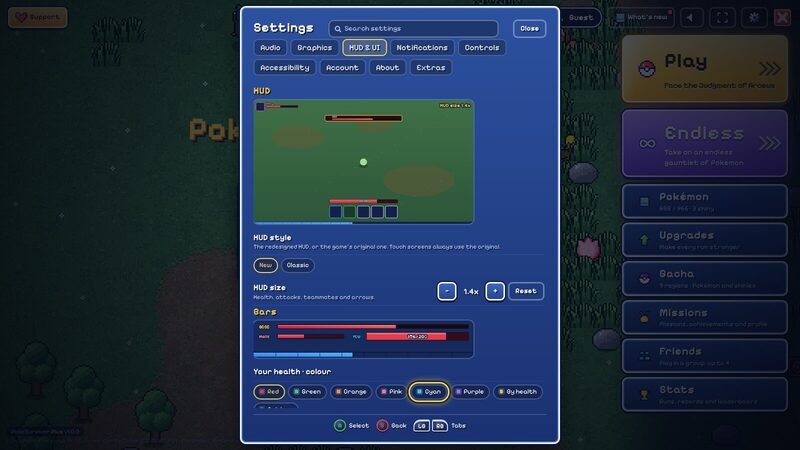
Settings with controller prompts

Play it on a controller

Xbox, PlayStation, Switch Pro and Steam controllers, with real button prompts built into every window.

  • A menu cursor for every screen, LB / RB to switch tabs
  • Every button rebindable, plus rumble when you're hit
  • Pick level-up cards straight from X / Y / B
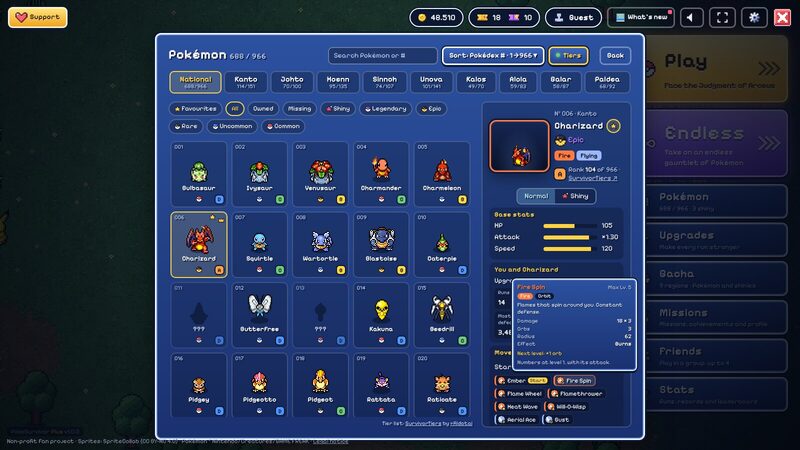
Pokémon screen with tier letters

A smarter Pokémon screen

Find any Pokémon in seconds and see what it can really do.

  • National tab, search (type shiny for your shinies), sorting and combined filters
  • Favourites, personal records and every move with its details
  • Optional tier letters from the community list SurvivorTiers
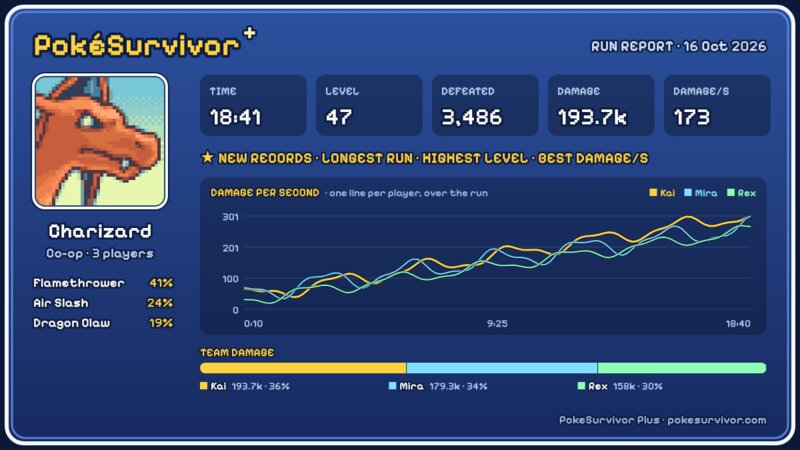
A share card image of a run

Stats & share cards

Relive your best runs and show them off.

  • Your last 30 runs with damage-over-time graphs and top attacks
  • Records for every Pokémon, announced when you beat them
  • One click for a share card image to post in your group chat

And much more

  • Colour blind modeProtanopia, deuteranopia and tritanopia corrections tuned on the game's colours
  • Wider field of viewZoom the camera out up to 1.7×
  • Custom barsColours, styles and numbers for health, boss and experience bars
  • 42 new tracksMenu, area, boss, Judgment and rift music in the game's own style
  • Faster gachaUse all tickets at once, skip the animation, see what's missing per region
  • Max all upgradesBuy every missing upgrade level for a Pokémon in one click
  • Settings searchFind any setting across every tab
  • Hitboxes & FPSSee where you and enemies can be hit, plus a draggable FPS counter
  • BackupExport and import all your PokeSurvivor Plus settings and records
  • Safety netIf a game update breaks a feature, just that part switches off
  • Fewer pop-upsChoose exactly which messages, arrows and tags you see
  • Welcome tourSix quick cards for new players, replayable any time

Read the full feature list →

Install in one click

PokeSurvivor Plus is on the Chrome Web Store, and updates install automatically.

  1. 1

    Open the store page

    Go to PokeSurvivor Plus on the Chrome Web Store.

    Click Add to Chrome, then Add extension.

  2. 2

    Add it

    Confirm with Add extension. That's it: no developer mode, no files to keep.

  3. 3

    Play

    Open pokesurvivor.com. You'll see the gold Play and purple Endless buttons; every option is in the game's Settings.

Get it on the Chrome Web Store

Rather install it by hand? Download the zip from the latest release, then use Load unpacked in developer mode (don't keep both versions on at once).

Updating, uninstalling and troubleshooting: full install guide. Firefox, Safari and mobile browsers aren't supported yet.

⚖️ Fair to the game

PokeSurvivor Plus changes how the game looks and feels, not what reaches the leaderboard. Endless runs are never registered or submitted, unlock no achievements and leave your stats exactly as they were.

🔒 Private by design

No accounts, analytics, ads or tracking, and nothing is sent to the developer. Settings and run history stay in your browser. Privacy policy

🧩 Open source

The whole extension is on GitHub under the MIT licence: read the code, report bugs and suggest features.

View on GitHub →

FAQ

Is PokeSurvivor Plus free?

Yes, completely: no ads, no purchases, no accounts. It's an open-source fan project.

Is it made by PokéSurvivor's developer?

No. PokeSurvivor Plus is an unofficial extension by ABSLS. PokéSurvivor is a separate fan game by JPTER78. Please report extension problems on GitHub, not to the game's developer.

Which browsers does it work in?

Chromium-based desktop browsers such as Chrome, Edge, Brave and Opera. Firefox, Safari and mobile browsers aren't supported yet.

Where's the safest place to get it?

The Chrome Web Store or this project's GitHub releases. Both are published by the author; avoid copies from anywhere else.

Does it update by itself?

Yes, if you installed it from the Chrome Web Store. A manual (zip) install needs the new zip from GitHub; see the install guide.

Will my progress or settings be lost when I update?

No. Your settings, records and run history are saved in your browser on pokesurvivor.com, not in the extension folder. You can also export a backup from Settings → Extras → Backup.

Something stopped working after a game update.

PokeSurvivor Plus checks each feature against the game and switches off just the part that broke. Open Settings → Extras → Status to see which, check for a newer release, and report it.

Do my friends need it for co-op?

No, you can play with anyone. Chat, pings, shared damage numbers and voting to pause need PokeSurvivor Plus, and work best when the host has it too.